Turning a week of meals into one shopping list
Most grocery waste isn't cooked and abandoned. It's bought twice, or bought and never opened. A list built from the plan fixes both, if it gets three things right.
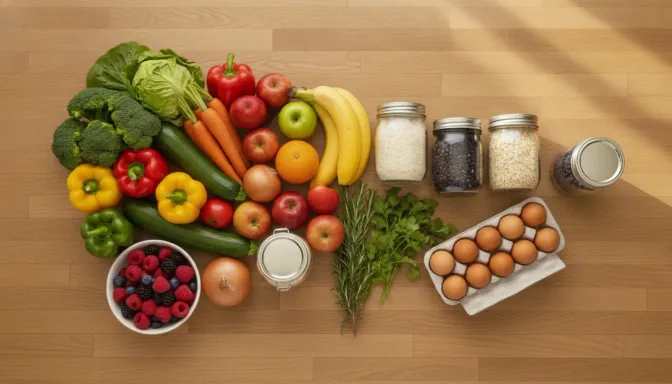
There’s a particular kind of grocery waste that has nothing to do with cooking. It’s the second jar of cumin, because you couldn’t remember whether you had one. It’s the coriander bought for Tuesday that Tuesday didn’t need after the plan changed. It’s the mid-week trip back to the shops for one thing, which somehow costs forty dollars.
All three come from the same place: the list and the plan are separate documents, and they disagree.
A list built from the plan closes that gap, but only if it gets three things right, and they’re worth spelling out, because a naive version of this makes the problem worse rather than better.
It has to combine, not concatenate
Three recipes this week want onions. A list that says
1 onion · 2 onions · ½ onion
is not a shopping list, it’s a transcript. You are standing in the produce section doing arithmetic, and you will get it wrong in the expensive direction.
Combining sounds trivial and isn’t, because recipes don’t agree on how to name things. “Brown onion”, “1 onion, diced”, “onions (large)” and “½ red onion” are two foods written four ways. To add them up, the list has to work out which food each line is actually about. Compare the lines as words and you get four rows instead of two.
That matters most for the recipes you type in yourself. One imported from a website usually arrives already broken into how much, what unit, and which food. One you typed at the bench is a single line of text, so it lands on the list as that whole line and you’re back to a transcript. In Harvenna that’s what the “fix ingredients” action is for: it re-reads the recipe you already have and works out the amounts and the foods, without changing a word of what you wrote.
It has to survive being edited
A generated list is a starting point, not an answer. You will add milk. You will add the thing your partner texted about. You’ll delete the capers because you’re now certain there are capers.
Then the plan changes, someone swaps Thursday, and you regenerate. If regenerating throws away everything you added by hand, you will do it once and never again, and the list goes back to being a separate document.
So the rule is: generated rows are disposable, your rows are not. Regenerating rebuilds what the plan implies and leaves the manual rows alone. And if the plan now needs a food you’d already added by hand, the two merge into one row keeping the larger quantity, rather than sitting next to each other, which is how you end up with four litres of milk.
There’s a nice second-order effect here. If the same food keeps getting added by hand, if you add milk every single week, that’s not a list problem, it’s a missing recurring item. Harvenna notices when a food has been manually added to three of your last four lists and offers to make it recurring. Decline it and it never asks about that food again.
It has to be ordered like the shop, not like the plan
A list in plan order sends you across the store and back four times. A list in aisle order is one lap.
Categories are the unglamorous feature that makes a list usable in the wild, and the reason they have to be editable is that no default set matches a real shop. Your supermarket has the bread near the checkout and a whole aisle of things that are technically “pantry”. You should be able to rename, reorder, add and delete the groupings, and drag an item into the aisle it’s actually in at your shop, after which it stays there.
Two smaller things matter more than they sound like they should:
- It has to work with no signal. Supermarkets are concrete boxes and the mobile coverage in them is terrible. Checking things off is exactly the moment you’re least likely to have a connection. Harvenna queues everything you do offline (ticking, adding, reordering, even a photo) and replays it when you’re back, rather than failing at the moment of use.
- Two people can shop the same list. If one of you is at the shops and one is at home finding out we’re out of nappies, both of those need to land on the same list. (Sharing a household is on the Family plan.)
Knowing the damage before the checkout
The last thing a list can do is tell you what it’s going to cost, and this is the part that generally doesn’t exist, because it needs price data nobody has.
You do have it, though, once you’ve scanned a few receipts: the actual price you paid, at your shop, recently. From that, a list can estimate what this week’s basket comes to, and put it against a weekly budget if you’ve set one.
Harvenna does this, and is deliberately careful about how it’s stated. The estimate is a sum of the prices it actually knows, and it always says how many items that covers (“19 of 24 items priced”), because a confident number covering two-thirds of a basket is worse than no number at all. If nothing on the list has a price yet, it shows nothing. And if you’re over budget it tells you by how much, and does nothing else: nothing gets blocked, nothing gets removed, there’s no notification. It’s information, not a nag.
The price history behind that comes from receipt scanning, which is on the Family plan. Everything else here is free: generating the list from the plan, combining quantities, categories, reordering, offline, notes and recurring items.
To see the list in use in the shops, there’s a short video: tick off the shopping list as you go.
The short version
A shopping list is not a to-do list that happens to contain food. It’s a projection of a plan onto a shop, and it’s only worth having if:
- it combines by food, so you’re not doing arithmetic in the aisle;
- it survives regeneration, so your edits aren’t punished;
- it’s ordered like your shop, so it’s one lap;
- and it works offline, because that’s where you’ll be standing when you use it.
Get those right and the second trip to the shops stops happening. That’s the whole return.
Harvenna builds one shopping list from your week’s plan, groups it by your own aisles, and works when the supermarket’s signal doesn’t. Free to plan and shop by hand.