How to build a recipe rotation you'll actually use
A useful recipe collection is not the biggest one. Rate what worked, retire what didn't and bring the good dinners back before everybody forgets them.
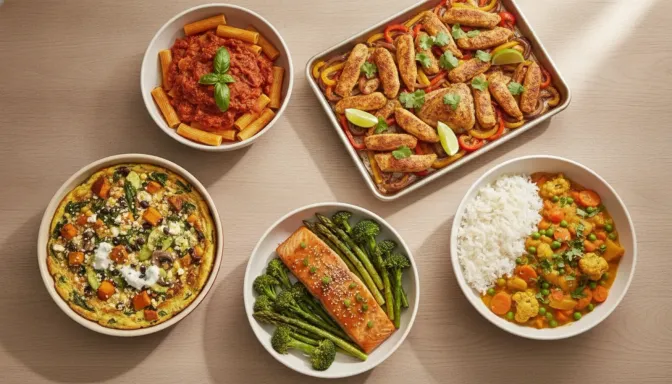
Saving a recipe is easy. Cooking it again is the part that tends not to happen.
The promising noodle dish gets added after somebody sends you the link. The chicken tray bake goes in because it was excellent on Tuesday. Three versions of banana bread arrive from three different places. A year later the collection has 146 recipes, but the household is still choosing dinner from the same six.
That is not a failure of imagination. It is a filing problem. A long list remembers what you once found interesting, but it does not tell you what worked, who liked it or which good dinner has quietly fallen out of the rotation.
A useful recipe library needs to do three jobs: remember the verdict, move the misses out of the way, and bring the right recipes back at the right time.
Rate the dinner while everyone still remembers it
The best time to judge a recipe is not while reading it. It is after dinner, when the evidence is still on the plates.
Keep the verdict simple. Did each person love it, like it or not like it? That is enough to answer the question you will have in six weeks: should this come back?
It matters that the ratings belong to people, not to the household as a whole. A curry can be a favourite for two adults, acceptable to one child and firmly rejected by another. Calling that dinner “four stars” loses the only useful information in the result.
Harvenna lets every family member have their own Loved, Liked or Didn’t like rating on a recipe. Those ratings stay with the recipe and help shape which dinners are suggested when the planner fills a week from your library.
This does not mean one bad night has to ban a meal forever. Sometimes the recipe was sound and the execution was not. The vegetables were cut too large, the chilli was too strong, or dinner landed on the table forty minutes after everyone became hungry. Add a note about what to change, then give it another chance when the week has room for one.
The aim is not to turn dinner into a survey. It takes a few seconds to record three or four reactions. That small habit is what turns a folder of links into a record of what your actual household will eat.
Separate a bad recipe from a bad night
Before retiring anything, work out what failed.
There are three common answers:
- The recipe was wrong for the household. Nobody enjoyed it, or the person who cooks it found the effort was not worth the result.
- The recipe needs an edit. Less chilli, twice the sauce, smaller vegetables, or twenty minutes less in the oven would make it worth another go.
- The timing was wrong. A good forty-five-minute dinner was asked to survive a night with sport, homework and somebody arriving home late.
Only the first one is a clear retirement. The second needs a note while the fix is still obvious. The third belongs on a quieter night, not in the bin.
This distinction protects good recipes from being blamed for bad planning. It also keeps genuinely unpopular dinners from returning because nobody wrote down what happened.
Archive the recipes that have left the rotation
Deleting a recipe can feel too final. You may want the lemon slice again at Christmas. The slow Sunday ragu is still good, even if Sundays are currently spent beside a junior football field. A child may change their mind about mushrooms, although perhaps not this year.
Leaving all of those recipes in the main library has a cost, though. Every search gets noisier and every planning session asks you to reject the same things again. Worse, a meal planner cannot tell the difference between a recipe you are resting and one you still want suggested.
Archiving is the useful middle ground. In Harvenna, an archived recipe leaves the main recipe list and is not used when a week is filled. It is not deleted. Its ingredients, notes and family ratings remain in the Archived view, and restoring it puts it back into the library and the planning pool.
Use archive freely for recipes that are:
- out of season
- no longer right for the household
- duplicates of a better version
- too much work for life as it is now
- worth keeping for an occasion, but not for an ordinary week
That last category is easy to underestimate. A recipe collection becomes much more useful when special-occasion food stops competing with Tuesday dinner.
Let time do some of the sorting
Alphabetical order is tidy and almost useless when the question is what to cook. “Apricot chicken” appearing before “Zucchini fritters” tells you nothing about whether either one has been served lately.
The better order is based on neglect. Start with recipes that have never made it onto a past meal plan, then show the ones that have been absent longest. Recently used dinners can sit further down because they are already doing their job.
Harvenna orders the recipe library that way. It uses past meal plans as the record, so it does not ask you to mark a dinner as cooked every night. The trade-off is honest: if Wednesday’s planned meal became takeaway, Harvenna still treats the recipe as recently used. For most households, a planning history that maintains itself is more useful than a perfect cooking diary that depends on somebody remembering another daily task.
The library also has focused views for the moments when recency is not the main question. Quick finds recipes with up to twenty-five minutes of preparation and cooking time. Kid favourites and Iron-rich use the details already saved with recipes. Forgotten brings back well-rated recipes that have been out of the plan for a while. Search still helps when you know you want beef, pasta or a particular cuisine.
These views are not separate collections to maintain. They are different ways of looking at the same library, which means a recipe can be quick, suitable for children and overdue for another turn without being copied into three folders.
Build a rotation in one short review
You do not need to clean up the whole collection before it becomes useful. Start with the next twenty recipes you see and make one decision about each:
- Keep it active if you would genuinely cook it in the next month.
- Edit it if a small change would make it work better next time.
- Archive it if you want to keep the record but not see it in normal planning.
- Delete it only when there is nothing worth keeping.
Then begin rating meals as they happen. After a few weeks, the useful shape of the collection starts to emerge. The dependable dinners carry several positive ratings. The divisive ones show exactly who needs an alternative. The failures stop resurfacing. Good meals that slipped out of memory return before you go looking for another new recipe to replace them.
This is also a better way to add recipes. Instead of saving ten possibilities, choose one and put it on the plan. Once it has been cooked, rate it, make the necessary note and decide whether it earned a place in the rotation. A recipe becomes part of the household’s repertoire by surviving dinner, not by reaching the saved list.
Harvenna’s recipe library, family ratings, search, curated views, archiving and automatic ordering are available on the Free plan. Filling a week from the recipes you have saved is free too, and uses those ratings and your planning history to help choose what comes back.
A smaller collection can do more
The goal is not a perfectly organised archive. It is a shorter path from “what should we cook?” to a dinner that fits the night and has a fair chance of being eaten.
Keep the meals that work. Record who they work for. Move the others somewhere reversible. Let the neglected favourites rise back into view.
A collection of forty recipes that remembers the household is worth more than 400 links that remember only what once looked good.
Harvenna keeps your household’s recipe ratings, brings neglected favourites back into view and fills a week from the dinners you already trust.